
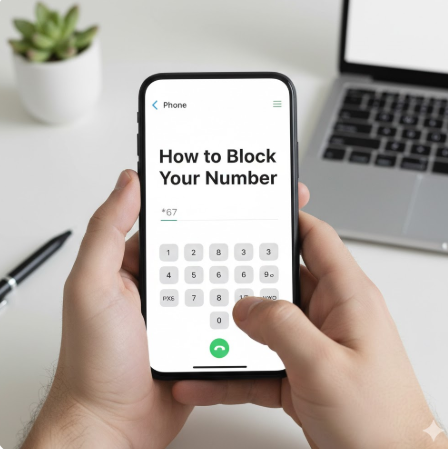
In today’s always-connected world, privacy is more important than ever. Whether you’re calling a business, responding to an online listing, or simply want to keep your personal information private, knowing how to block your number can give you greater control over who sees your phone number.
Blocking your caller ID is a simple yet powerful way to protect your privacy, avoid unwanted callbacks, and maintain professional boundaries. This comprehensive guide explains how to block your number on iPhone, Android devices, and landlines, along with alternative methods, limitations, and best practices—so you can make informed decisions with confidence.
Understanding What It Means to Block Your Number
Before diving into step-by-step instructions, it’s important to understand what blocking your number actually does.
What Happens When You Block Your Number?
When you block your number, your caller ID information is hidden from the person you’re calling. Instead of your phone number or name, the recipient may see:
- “Private Number”
- “Blocked”
- “No Caller ID”
- “Unknown Caller”
This feature is also referred to as:
- Caller ID blocking
- Withholding your phone number
- Hiding your caller ID
Is Blocking Your Number the Same as Blocking Calls?
No. Blocking your number means hiding your identity when making calls. Blocking calls, on the other hand, prevents specific numbers from calling you. These are two completely different features.
Why People Choose to Block Their Phone Number
People block their numbers for many legitimate and practical reasons.
Common Reasons to Hide Your Caller ID
- Protecting privacy when calling strangers or businesses
- Avoiding spam callbacks after inquiries or missed calls
- Maintaining professional boundaries (e.g., freelancers or consultants)
- Personal safety, especially when selling items online
- Calling from a shared or personal device for work purposes
According to consumer privacy studies, over 70% of mobile users express concern about sharing their phone number with unknown parties—making caller ID blocking a valuable privacy tool.
How to Block Your Number on iPhone
Apple provides built-in options to hide your caller ID either permanently or temporarily.
How to Block Your Number on iPhone (Permanent Method)
This method hides your number for all outgoing calls.
Step-by-Step Instructions:
- Open Settings
- Tap Phone
- Select Show My Caller ID
- Toggle off
Once disabled, your iPhone will block your number on every outgoing call unless you change the setting.
Also Read:Tecnology Explained: Trends, Impact, and the Future
How to Block Your Number on iPhone for a Single Call
If you only want to hide your number occasionally, use a dialing prefix.
Temporary Method:
- Dial *67 before the phone number
Example:*67 555-123-4567
This method works without changing your phone’s default settings.
Important Notes for iPhone Users
- Some carriers may not support caller ID blocking
- Emergency calls will still show your number
- Certain toll-free numbers may reject blocked calls
How to Block Your Number on Android Phones
Android devices vary by manufacturer, but the general steps are similar across most models.
How to Block Your Number on Android (Permanent Setting)
Step-by-Step Instructions:
- Open the Phone app
- Tap the three-dot menu
- Go to Settings
- Select Calls or Call Settings
- Tap Additional Settings
- Choose Caller ID
- Select Hide number
This setting will block your number on all outgoing calls.
Also Read:Certified Product Owner Certification is Right Upgrade in London.
How to Block Your Number on Android for One Call
Like iPhones, Android phones also support prefix dialing.
- Dial *67 before the number you’re calling
This is ideal for one-time privacy needs.
Android Variations to Be Aware Of
- Samsung, Pixel, and OnePlus devices may label settings differently
- Some carriers override device-level settings
- Work profiles may restrict caller ID changes
How to Block Your Number on a Landline
Landlines may seem outdated, but many people still rely on them for business or home use.
How to Block Your Number on a Landline for One Call
- Dial *67 before the number
- Wait for a confirmation tone
- Dial the recipient’s number
This method works on most U.S. and international landlines.
How to Block Your Number Permanently on a Landline
To block your number on all outgoing calls:
- Contact your phone service provider
- Request permanent caller ID blocking
- Some providers charge a small monthly fee
Alternative Landline Codes
In some regions:
- *31# may block caller ID
- *82 can unblock your number for a single call
Always confirm with your provider.
How to Block Your Number When Calling Internationally
Blocking your number while calling internationally can be more complicated.
Things to Know About International Caller ID Blocking
- Prefix codes vary by country
- Some international networks ignore caller ID blocking
- VoIP and internet-based calls may display different identifiers
Best Practices for International Calls
- Use secure VoIP services with privacy settings
- Test blocking methods before important calls
- Check local telecommunications regulations
When Blocking Your Number Does Not Work
There are situations where hiding your caller ID may not be effective.
Common Scenarios Where Blocking Fails
- Emergency services (911, police, fire)
- Toll-free numbers (800, 888, etc.)
- Businesses that reject blocked calls
- Call tracing or legal compliance systems
Blocking your number is a privacy feature—not an anonymity guarantee.
Legal and Ethical Considerations
Blocking your number is legal in most countries, but misuse can lead to consequences.
Is It Legal to Block Your Number?
Yes, in most regions, blocking your number is legal when used for:
- Personal privacy
- Business communication
- Safety and security
However, it may be illegal if used for:
- Harassment
- Fraud
- Threats or impersonation
Always use caller ID blocking responsibly.
Best Practices for Protecting Your Phone Privacy
Blocking your number is just one part of a broader privacy strategy.
Additional Phone Privacy Tips
- Avoid posting your number publicly
- Use secondary numbers for online forms
- Enable spam call filtering
- Review app permissions regularly
- Use carrier-provided privacy tools
Combining these practices helps reduce unwanted calls and protect your identity.
Frequently Asked Questions (FAQs)
Can I block my number permanently?
Yes. Both iPhone and Android allow permanent caller ID blocking through settings, and landline providers can enable it upon request.
Does blocking my number hide my name too?
Yes. Blocking your number hides both your phone number and caller ID name.
Will blocking my number stop people from calling me back?
Yes, since they won’t see your number—unless they use call-return services.
Can blocked numbers be traced?
In some cases, yes. Carriers and law enforcement can still access call records if legally required.
Is *67 free to use?
Yes. Dialing *67 is free on most mobile and landline networks.
Conclusion: Take Control of Your Calling Privacy
Learning how to block your number empowers you to protect your privacy in an increasingly connected world. Whether you’re using an iPhone, Android device, or landline, caller ID blocking is a simple and effective tool when used responsibly.
By understanding your options, limitations, and best practices, you can communicate confidently without compromising your personal information. Privacy isn’t about hiding—it’s about control. And now, you have it.
